




Voice AI Deflection Rates in Healthcare: Real Benchmarks and What Vendors Hide (June 2026)
Voice AI deflection rates in healthcare: realistic benchmarks show 30-50% production rates vs vendor claims of 60-80%. Real data for June 2026.

Most practices comparing patient communication tools assume Prosper AI vs Klara is a simple feature trade-off, but the real difference is architectural. Klara moves patient requests into a secure messaging queue, which helps organize some workflows but still requires a staff member to read and respond to every thread. Prosper AI picks up the phone and handles scheduling, benefits checks, and prescription routing in real time without creating a task list for someone else to clear. If your front desk is fielding 1,100 calls a week and your team is burned out, the question isn't whether you need better communication tools: it's whether you need tools that actually reduce the number of interactions your staff has to manage at all.
TLDR:
Klara is a patient communication tool built primarily for specialty and dermatology practices. It focuses on two-way messaging between patients and care teams, giving staff a centralized inbox to manage conversations across channels like SMS, web chat, and patient portal messages. Patient communication tools have become a standard part of modern healthcare practices, but the architecture matters as much as the feature list.
The core use case is asynchronous messaging. Patients can reach out with questions, appointment requests, or follow-ups, and staff respond when available. Klara also offers some automated workflows, including appointment reminders, intake forms, and basic scheduling requests.
Klara's strengths are in giving patients an alternative way to reach your team and giving staff a structured view to manage those conversations. For specialty practices that field a steady volume of non-urgent patient messages, it solves a real coordination problem.
Klara is largely a messaging and coordination tool. It does not handle voice calls, which remain the dominant communication channel in most ambulatory practices. Staff still field the bulk of inbound call volume manually, including scheduling, benefits verification, and prior auth questions. For practices trying to reduce phone burden, that gap is worth weighing carefully before committing to a solution.
Prosper AI is a voice AI built for healthcare front offices. It answers inbound patient calls, handles scheduling, insurance verification, prior auth status checks, patient intake, prescription refill routing, and more without routing patients to hold queues or staff callbacks.
The core design assumption is that most patient call volume is routine. Prosper AI handles that routine work directly, with documented production resolution rates above 60% end-to-end. That means the majority of calls never reach a staff member at all.
Prosper AI integrates with major EHR and practice management systems, so conversations result in actual data updates instead of message logs for staff to act on later. The AI works across the full inbound call mix, not a single workflow, which separates it from narrower scheduling or reminder tools that leave most of the call surface unautomated.
Both Klara and Prosper AI use different communication architectures, and that distinction matters more than it might seem at first glance.
Klara is built around asynchronous text messaging. Patients send a message, staff respond when available. That works well for low-urgency exchanges like document collection or post-visit follow-up, but it still requires a staff member to read, interpret, and reply. The workload changes channels; it doesn't shrink.
Prosper AI uses voice AI to handle inbound calls in real time, without routing every interaction through a human. Appointment scheduling, insurance verification, prescription refill requests, and general inquiries can be resolved on the call itself, not hours later in a message queue.
The practical difference shows up in call containment. Many practices field hundreds of inbound calls daily, and a large share of those calls are routine. While text messaging has higher open rates than voicemail, a text messaging tool still moves that volume into a different inbox. Voice AI can resolve it without creating an inbox at all.
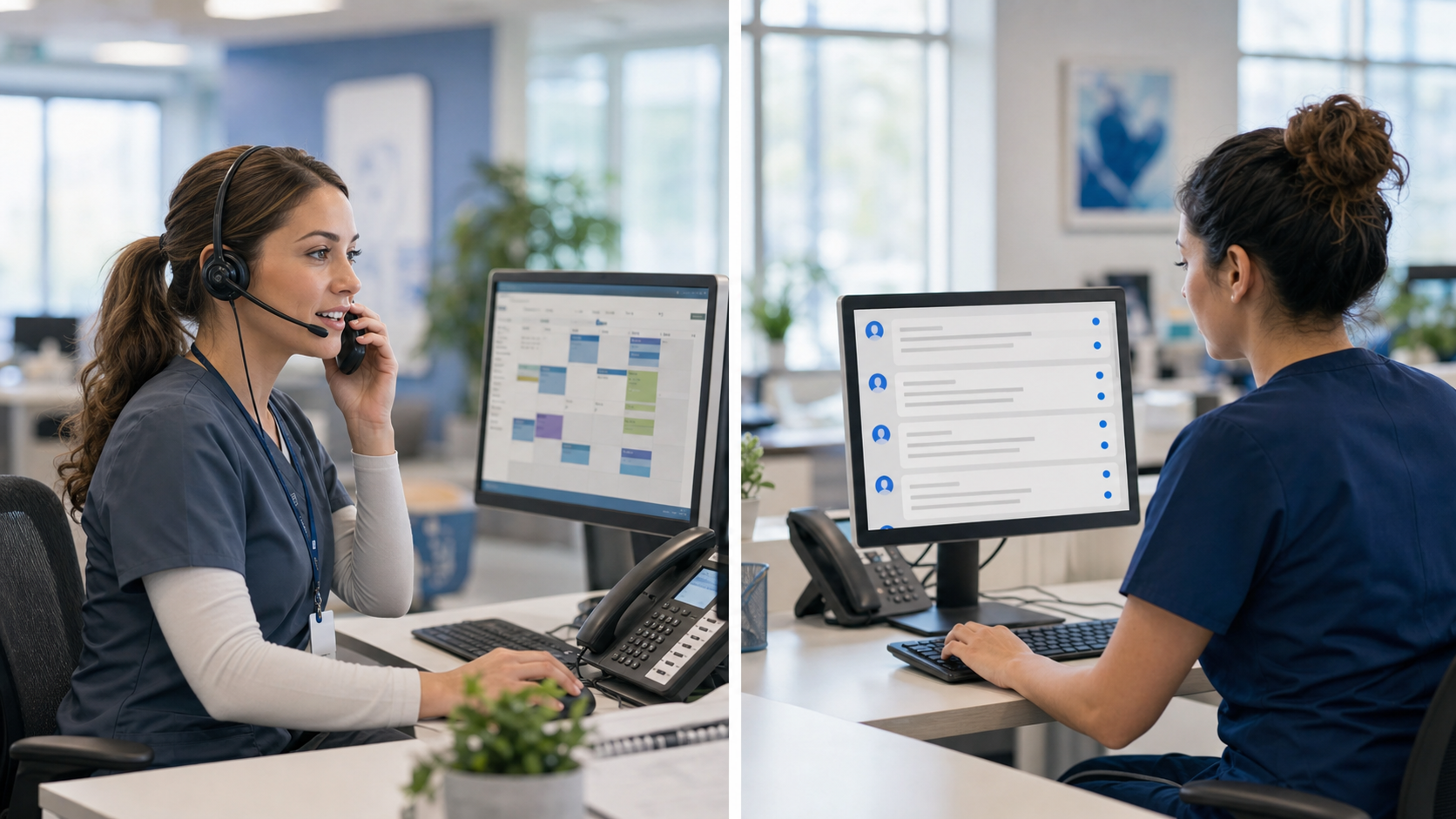
The channel question goes beyond patient preference. It's about where staff time actually goes. If your front desk is bottlenecked on inbound calls, a messaging tool won't fix that bottleneck.
| Capability | Klara | Prosper AI |
|---|---|---|
| Inbound call handling | Does not cover phone calls; staff field all inbound call volume manually | Answers and resolves 60%+ of inbound calls end-to-end without staff involvement |
| Scheduling workflow | Handles basic scheduling requests through asynchronous messaging that staff respond to later | Completes scheduling, rescheduling, and cancellations during the live call with EHR write-back |
| Benefits verification and prior auth | Does not handle phone-based insurance workflows; these calls still reach front desk | Runs real-time eligibility checks and calls insurance payers directly for coverage questions |
| After-hours coverage | Patients send messages that staff respond to the next morning; time-sensitive requests sit in queue overnight | Handles scheduling, benefits checks, and prescription routing in real time at 11 PM same as 11 AM |
| Staff workload impact | Moves administrative work into a different inbox; workload changes channels but doesn't shrink | Reduces the number of calls staff answer by resolving routine requests without creating task queues |
Klara focuses on asynchronous patient messaging: secure two-way texting, appointment reminders, and intake forms. It handles the communication layer well, but the scope stops there. Staff still pick up the phone for scheduling changes, insurance questions, and prescription callbacks.
Prosper AI covers a wider range of inbound call types autonomously. Scheduling, rescheduling, cancellations, benefits verification, prior auth status, prescription refill routing, and general FAQs can all be handled without a staff member involved. In production deployments, Prosper AI resolves 60%+ of inbound calls end-to-end, meaning the call is completed without escalation.
That gap in scope matters for practices fielding hundreds of calls daily. Messaging tools reduce some inbound volume, but phone calls remain the dominant contact channel for anything requiring a real-time answer. A front desk fielding 1,100 calls a week sees limited relief from a messaging layer alone.
Patients call after hours constantly. Appointment requests, prescription refill questions, urgent-but-not-emergency concerns: they don't stop at 5 PM, and most practices can't afford to staff for that reality.

Klara handles after-hours coverage primarily through asynchronous messaging. Patients can send a message, and staff respond the next morning. That works for low-urgency outreach, but it means anything time-sensitive sits in a queue overnight.
Prosper AI handles after-hours calls in real time, without a human on the other end. A patient calling at 11 PM to schedule a follow-up gets that done, same as they would during business hours. The same applies to benefits verification questions, referral status checks, and prescription routing. There's no queue, no callback list waiting for Monday morning.
For practices with high call volume or extended patient populations across time zones, after-hours containment can meaningfully reduce the Monday morning call spike that tends to overwhelm front desk staff before the day even starts.
Prosper AI was built for healthcare, which means every feature reflects the actual call mix a front desk handles daily. Where Klara focuses on asynchronous messaging, Prosper AI handles live inbound calls at scale, resolving over 60% of calls end-to-end in production without transferring patients to staff.
The scope difference is real. Klara covers messaging and appointment reminders well, but leaves phone-heavy workflows like benefits verification, prior auth status checks, and after-hours scheduling to staff. Prosper AI handles all of these within a single AI-driven voice experience, writing results back directly to your EHR or PMS.
Most patient communication tools automate the easy stuff. Prosper AI is designed around the workflows that actually drive call volume:
Practices comparing both tools often find that Klara reduces the volume of messages staff receive, while Prosper AI reduces the volume of calls staff have to answer. For phone-heavy practices, that distinction matters considerably.
Klara and Prosper AI serve different parts of the patient access workflow, and your choice should map to where your staff actually spends their time. If inbound calls are the bottleneck and your team is stretched thin on scheduling, benefits checks, and after-hours coverage, a messaging tool won't solve that. Prosper AI handles those calls in real time, resolving over 60% without staff involvement. See how Prosper AI handles your volume before committing to a solution that leaves the phone line untouched.
Start by mapping where your staff time actually goes. If your front desk is bottlenecked on inbound phone volume (hundreds of calls weekly for scheduling, benefits verification, and prior auth questions), a messaging tool won't solve that workload. Klara works well for practices that need better patient messaging coordination. Prosper AI fits practices that need to contain inbound call volume directly, handling 60%+ of calls end-to-end without staff involvement.
Klara's async messaging moves administrative work into a different inbox: patients send messages, staff respond later. The workload changes channels but doesn't shrink. Prosper AI's voice AI resolves calls in real time during the conversation itself, so scheduling, insurance checks, and refill requests complete without creating a staff task queue. For phone-heavy practices, that distinction directly impacts how many calls your front desk actually has to answer.
Klara fits practices where staff can manage patient communication through async text workflows and where reducing message volume across channels is the primary goal. Prosper AI makes more sense for practices fielding high daily call volume across scheduling, billing, and insurance inquiries, particularly those with after-hours demand or staff burnout from phone overload. If your front desk is underwater on live calls, you need call containment, not message organization.
Prosper AI handles after-hours calls the same way it handles daytime calls: full scheduling, benefits verification, prescription routing, and general inquiries without a staff member involved. A patient calling at 11 PM gets the same level of service as one calling at 11 AM, and the appointment writes directly back to your EHR. There's no separate on-call workflow or callback queue waiting for Monday morning.
Yes. Prosper AI handles benefits verification through real-time eligibility checks and can call insurance payers directly when API lookups can't resolve coverage questions. The same goes for prior auth status checks: patients get answers during the call without waiting for a staff callback. Klara doesn't cover phone-based insurance workflows at all, so those calls still land on your front desk.
Discover how healthcare teams are transforming patient access with Prosper.

Voice AI deflection rates in healthcare: realistic benchmarks show 30-50% production rates vs vendor claims of 60-80%. Real data for June 2026.

Learn how to select a voice AI platform for your ModMed practice. Focus on bidirectional EHR sync, scheduling automation, and resolution rates. June 2026 guide.

Learn how AI is replacing manual patient booking systems in June 2026. Automate scheduling, reduce no-shows, and cover after-hours calls without adding staff.


