




Best AI Agents for Orthopedics: September 2026
Best AI agents for orthopedic practices compared on prior auth, outbound payer calling, and billing. Only 1 vendor resolves 60%+ of calls end-to-end.

You've spent the last month demoing voice AI vendors, and they all sound good until you ask how their ModMed integration actually works. Can the system write appointments back to EMA, or does it just pull available slots and leave the booking to your staff? That distinction separates tools that reduce manual work from ones that just move it around. For your practice, choosing the right voice AI means confirming the system syncs bidirectionally with ModMed and testing which calls it resolves completely before anyone signs a contract.
TLDR:
Voice AI for medical practices has moved well past simple call routing. Today's tools can handle scheduling, insurance verification, EHR documentation, and patient follow-up across a single conversation. For ModMed practices in particular, the question isn't whether to adopt voice AI, it's which tool actually integrates deeply enough with ModMed's EHR and PM workflows to be worth deploying. A scheduling-only tool that can't write back to ModMed leaves your staff doing the same manual entry they did before.
Bidirectional EHR sync is where many voice AI tools quietly fall short. Writing to ModMed EMA requires more than reading available slots; the system needs to push confirmed appointments, patient demographics, and visit type back into the chart without staff manually re-entering records afterward.
Ask any vendor you're vetting whether their ModMed integration writes back or only reads. A read-only connection means your front desk is still doing data entry after every AI-handled call, which defeats much of the purpose. ModMed's AI-powered practice capabilities support deeper integrations when voice AI vendors build proper write-back functionality.
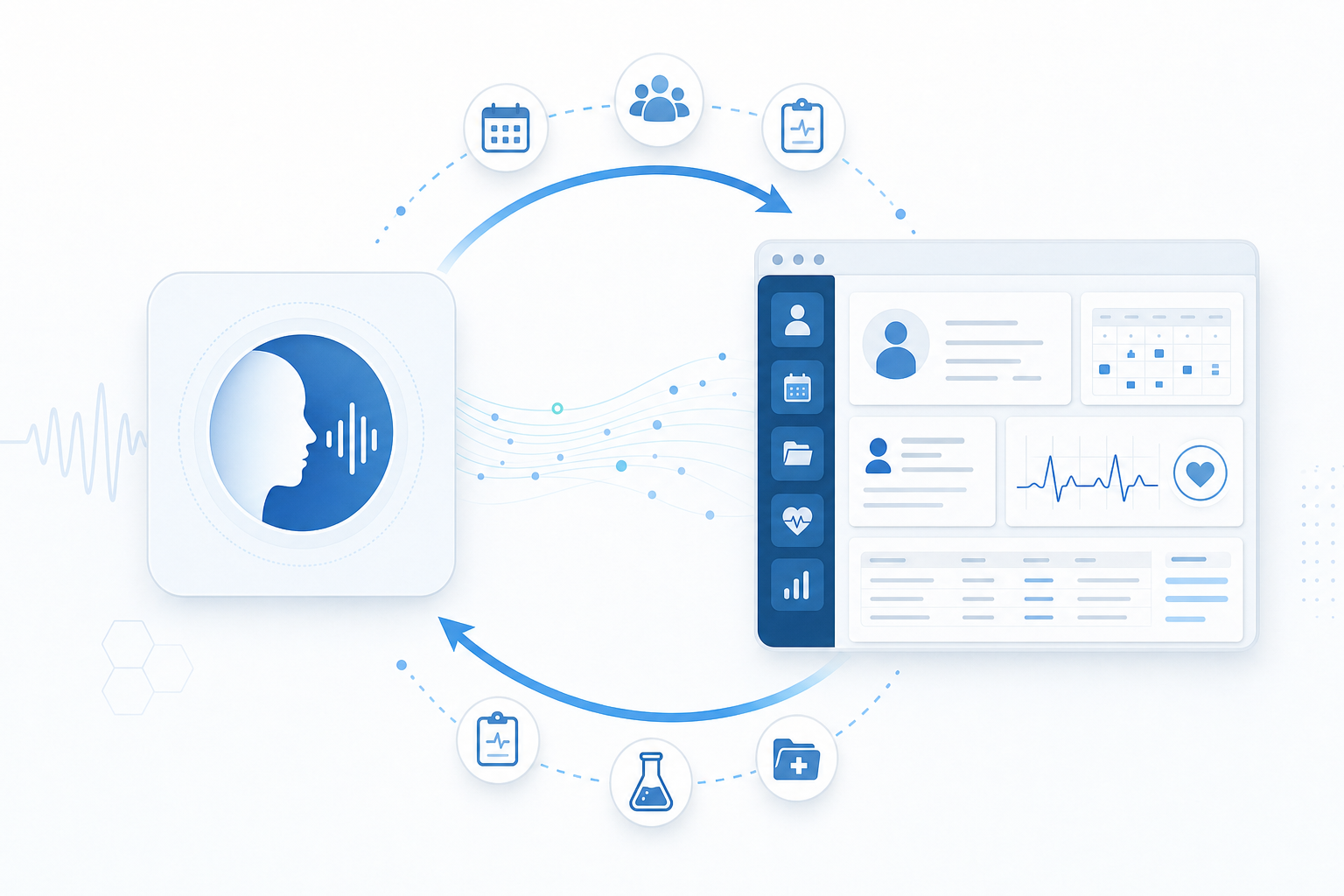
Look for confirmed write-back on at least these touchpoints:
Prosper AI writes bidirectionally to ModMed EMA, so confirmed bookings, reschedules, and demographic changes post to the chart in real time without a staff reconciliation step.
| Evaluation Criterion | What Most Vendors Offer | What to Look For Instead |
|---|---|---|
| ModMed EHR Integration | Read-only access that pulls available slots but leaves staff doing manual entry after every call | Bidirectional write-back that posts appointments, demographic updates, and visit types directly to EMA without staff reconciliation |
| Resolution Rate Scope | Sixty percent resolution on scheduling calls only, which means thirty percent total containment if scheduling is half your call volume | End-to-end resolution across scheduling, insurance verification, prior auth, and billing inquiries measured against your full call mix |
| Demo Environment | Sanitized sandbox data that never touches a real EHR, hiding integration problems until after go-live | Live demo call routed through your actual ModMed environment with real scheduling scenarios from your practice |
| Call Handoff Behavior | Transfers to staff without context, forcing patients to repeat themselves and staff to start cold | Clean handoff with full caller history, reason for call, and what was already attempted surfaced for staff |
| Specialty Scheduling Rules | Generic scheduling logic that cannot interpret condition-specific rules or provider specialty constraints in ModMed | Scheduling logic that mirrors the appointment rules, procedure code dependencies, and provider constraints already configured in your ModMed instance |
Ask any vendor what their resolution rate is, and you'll get a number. The harder question is: resolution on what portion of your actual call mix?
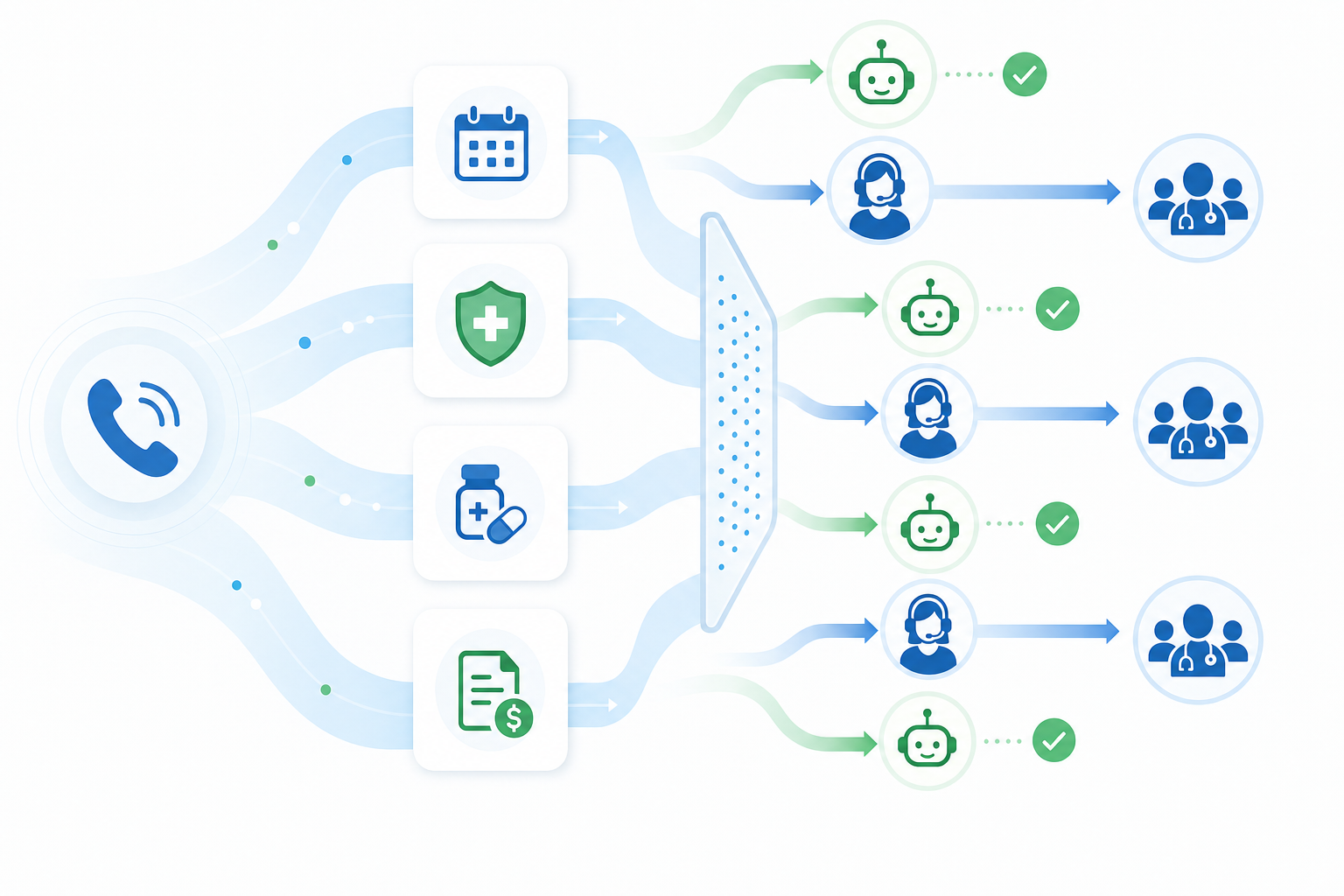
Many voice AI tools resolve scheduling well but hand off calls involving insurance questions, referrals, or prescription inquiries to staff. If scheduling accounts for 50% of your calls and a vendor resolves 60% of those, your real end-to-end containment rate is closer to 30%.
For ModMed practices, verify which call types the system can fully resolve without staff intervention before treating any headline rate as meaningful.
Ask for a live demo call routed through your actual ModMed environment before signing any contract. Many vendors demo on sanitized sandbox data that never touches a real EHR, which means the integration surprises come after go-live.
Listen for a few things during that call: Does the voice sound natural when a patient gives an unexpected answer? Does it handle interruptions, background noise, or a patient who changes their mind mid-sentence? Recovery behavior under real conditions reveals far more than a clean scripted run-through ever will.
According to a 2025 Relatient patient call study, 41% of all patient calls to medical practices occur outside standard 8 AM–5 PM weekday hours, meaning practices without after-hours AI handling are inaccessible for nearly half of all patient communication attempts. Call volume is real but lower, staff are unavailable anyway, and the risk of a bad patient experience feels contained.
Research on healthcare call abandonment rates shows practices lose up to 30% of inbound calls, with average hold times exceeding four minutes during peak hours, making after-hours coverage especially critical when no staff are available to answer.
If the AI handles a Saturday appointment request well, you learn something useful before rolling it out to Monday morning rush.
For ModMed practices, this entry point works especially well when the AI writes confirmed appointments directly into the EHR, so nothing sits in a queue waiting for Monday staff review.
Generic voice AI tools weren't built with ophthalmology, dermatology, or orthopedics in mind. ModMed practices often manage condition-specific scheduling rules, like booking follow-ups only after specific procedure codes or blocking certain appointment types by provider specialty. A voice AI that can't interpret those constraints will either overschedule, underschedule, or push calls back to staff anyway. Before committing, ask vendors whether their scheduling logic can mirror the rules already configured in your ModMed instance.
No calls drop into a void. When the AI reaches the boundary of what it can resolve (a complex insurance dispute, a patient in distress, a complex scheduling exception), it hands the call to a staff member with full context already surfaced: caller history, the reason for the call, and what was already attempted. Staff skip the re-explanation entirely and pick up mid-conversation. The transition is the thing most vendors get wrong. A clean handoff keeps patients from repeating themselves and keeps staff from starting cold.
Before signing anything, request a Business Associate Agreement (BAA) from every vendor you vet.
Vendors integrated with ModMed should also be able to specify how patient data moves during EHR sync. Vague answers about "secure connections" are a red flag worth pressing on.
Pricing for voice AI in medical practices typically follows one of three models: per-minute usage, per-call flat rate, or monthly subscription tiers. Each has different implications for a ModMed practice depending on call volume and call mix.
Per-minute models can feel affordable upfront but get expensive fast if your average call runs long. Per-call flat rates are more predictable, though they reward practices with shorter, high-volume call patterns. Subscription tiers offer the most budget certainty but often cap call volume or automation scope in ways that only surface after signing.
To estimate real ROI, start with your current front desk labor cost per handled call, then multiply by the share of calls the voice AI can resolve without staff involvement. If your front desk handles roughly 1,100 calls per week and a tool resolves 60% end-to-end, that's about 660 calls per week offloaded. Compare that labor savings against the monthly cost of the tool.
Watch for what's excluded from the quoted resolution rate. Many vendors count a call as "resolved" if the caller didn't hang up, even if staff still had to complete the task in ModMed afterward. Ask vendors to show you end-to-end resolution figures, meaning the AI completed the action in the EHR, not just kept the caller on the line.
Before committing to any vendor, run a structured 30-day pilot with real call volume from your ModMed practice. Give the system actual scheduling scenarios, insurance verification requests, and appointment change calls. Track how often it resolves requests without staff intervention, how accurately it writes back to ModMed, and where it fails. A vendor worth choosing will welcome this test and give you clear benchmarks up front.
Prosper AI was built expressly for high-volume ambulatory practices, including those running on ModMed. Where many voice AI tools stop at scheduling, Prosper handles the full call mix: appointment booking, insurance verification, prior auth status, and billing inquiries, all with direct EHR write-back into ModMed.
In production, Prosper resolves over 60% of inbound calls end-to-end, roughly twice the containment rate of narrower scheduling tools. That gap matters when your front desk is fielding hundreds of calls a week and most of them never needed a human to begin with.
Most voice AI vendors claim their ModMed integration works, but the question is whether it writes back or just reads available slots. If your staff is still doing manual entry after every AI-handled call, you haven't automated anything that matters. Test any system with real call volume before signing, track what actually posts to the EHR without staff intervention, and measure resolution on your full call mix, not just scheduling. See Prosper resolve 60%+ of calls with bidirectional ModMed sync and run a pilot in your own environment.
Neither Streamlit nor Reflex is designed for medical scheduling workflows—both are Python frameworks for data dashboards, not healthcare voice AI tools. For ModMed practices, you need voice AI built specifically for EHR integration, HIPAA compliance, and healthcare call patterns, with direct read-and-write access to ModMed EMA.
Yes. Ask any vendor for a live demo call that routes through your actual ModMed environment, using real scheduling scenarios from your practice. Listen for how the system handles interruptions, unexpected answers, and mid-call changes—recovery behavior under real conditions reveals far more than a sanitized demo ever will.
Start with your current front desk labor cost per handled call, then multiply by the share of calls the voice AI can resolve end-to-end without staff involvement. If your front desk handles 1,100 calls per week and a tool resolves 60% completely, that's 660 calls per week offloaded—compare that labor savings against the monthly cost of the tool.
Ask whether their ModMed integration writes appointment confirmations, demographic updates, and visit types directly into the chart, or only reads available slots. A read-only connection means your front desk still does manual data entry after every AI-handled call, which defeats the purpose of automation.
Discover how healthcare teams are transforming patient access with Prosper.

Best AI agents for orthopedic practices compared on prior auth, outbound payer calling, and billing. Only 1 vendor resolves 60%+ of calls end-to-end.

The 7 best AI voice agents for ophthalmology practices. Find platforms with ModMed & Nextech integrations, prior auth support, and patient automation.

Our September 2026 FQHC voice agent comparison covers Medicaid verification, payer calls, prior auth, and multilingual support across five tools.


