




Best Voice AI for Gastroenterology Practices: 4 Options Compared (2026)
Compare 4 voice AI vendors for GI practices on colonoscopy scheduling, benefits verification, and prior auth calls. See which ones stop at booking.

Your front desk is buried in scheduling calls, and you're comparing patient appointment scheduling software options to pull some of that volume offline. You've demoed tools that offer online medical appointment booking systems, free appointment scheduling apps for small business, and full medical patient appointment scheduling software with EHR integration. They all show you patient self-scheduling. They all send automated reminders. And they all claim to integrate with your practice management system. The question that separates a calendar tool from a real scheduling solution is this: what percentage of your inbound scheduling calls can the software resolve end-to-end without staff intervention, and what happens to the calls that need insurance verification or prior auth before the appointment can be confirmed? Most appointment booking software in the healthcare staff scheduling software and provider scheduling software category resolves under 30% of calls completely. The tools that matter resolve 60% or more. We're walking through the features, the integration requirements, and the vendor selection process that gets you to that higher number.
TLDR:
Patient appointment scheduling software manages how patients get onto a provider's schedule. At the basic end, that's a digital calendar with a booking link. At the other end, it reads and writes directly to your EHR, sends automated reminders, supports around-the-clock patient self-scheduling, and surfaces cancellation gaps for backfill.
The category spans a wide range, and that range matters. A free booking app and a full medical scheduling solution both technically qualify, but what separates them is depth: how far into the appointment lifecycle the software actually reaches, and how tightly it connects to the clinical and administrative systems already running your practice.
Medical practices in 2026 face a genuine staffing and access problem. Front desks field hundreds of calls daily, no-show rates average 5 to 8%, and patients increasingly expect to book appointments the same way they book everything else: online, on their own schedule.
Patient appointment scheduling software cuts through that load by moving routine bookings out of the phone queue entirely. The practices that have adopted it report fewer missed appointments, lower administrative overhead, and patients who are more satisfied with their access experience.
Some features show up on every vendor's spec sheet. The real question is whether they work the way your practice actually runs.
| Feature | Basic Scheduling Tools | Advanced Scheduling Solutions |
|---|---|---|
| Online booking | Calendar link, business hours only | 24/7 self-scheduling with real-time availability |
| EHR integration | Calendar mirroring, manual data entry | Bidirectional sync with automatic write-back |
| Reminders | Single SMS or email reminder | Multi-channel reminders at configurable intervals |
| Insurance handling | Collect data manually after booking | Verify eligibility at point of booking |
| Waitlist management | Manual cancellation tracking | Automated backfill from waitlist |
| Call containment | Under 30% of calls resolved end-to-end | 60%+ of calls resolved without staff intervention |
The features most tied to measurable outcomes are reminders, waitlist backfill, and true EHR write-back. If a vendor demos well on those three, everything else is negotiable. If they stumble on those, the rest of the feature list won't save them.
Scheduling software that doesn't connect to your EHR creates more work, not less. Staff end up manually re-entering appointment data, resolving duplicates, and chasing down records that should have synced automatically.

The best patient scheduling software writes appointments directly back to your EHR, pulling insurance details, visit history, and provider availability in real time. That two-way sync is what separates a tool that reduces front-desk calls from one that just moves the problem around. Research shows that EHR integration eliminates time barriers by syncing data at the point of scheduling without lag.
Look for native integrations with major EHR systems like Epic, athenahealth, and eClinicalWorks before committing to any solution.
no-shows cost practices $150 per appointment, and even a modest reduction in that rate can meaningfully change monthly revenue.
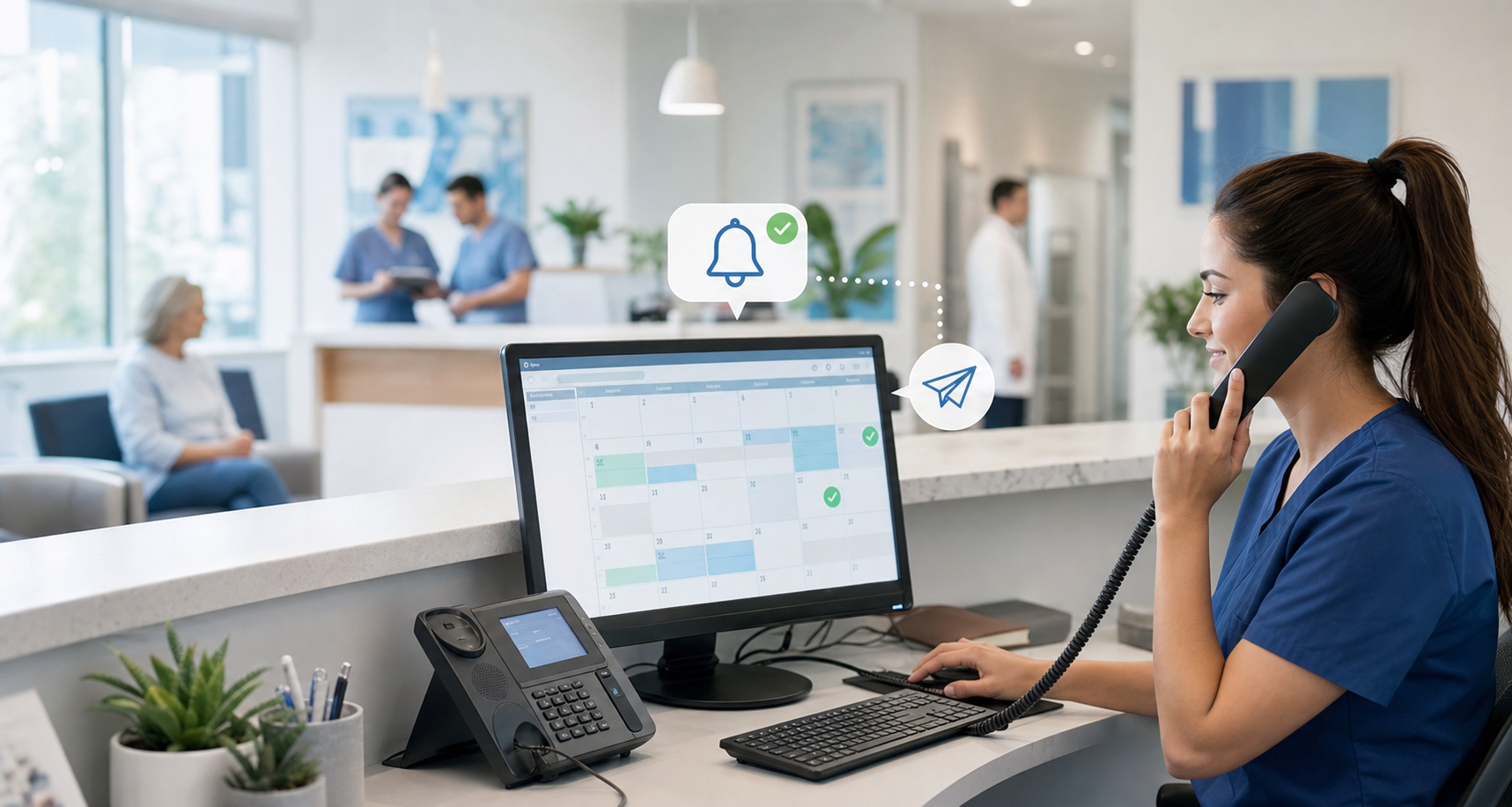
Automated reminders are the most direct lever. Most scheduling software sends SMS, email, or voice reminders at configurable intervals, with studies showing reminders can cut no-shows by 29%.
Self-scheduling also helps. When patients book at their own convenience, they tend to show up more reliably than when staff books on their behalf.
Most patients prefer to resolve routine issues on their own without calling a front desk, and booking appointments is no exception. A practice routing everything through a phone queue is asking patients to do something they would rather avoid.
Online booking available around the clock, accessible on a mobile device without staff involvement, has become a baseline expectation. Practices that still require a phone call to schedule often lose patients to a competitor who makes booking frictionless.
Most patient appointment scheduling software today runs in the cloud, meaning your practice accesses it through a browser with no local installation required. On-premise software lives on servers your practice owns and manages. The appointment scheduling software market is projected to grow from $635.6 million in 2026 to $1.9 billion by 2034, driven largely by cloud adoption.
Cloud-based systems typically offer lower upfront costs, automatic updates, and remote access across locations. On-premise deployments give practices more direct control over data storage, which some larger health systems prefer for compliance reasons.
For most small and independent practices, cloud-based scheduling software is the practical choice given easier setup and lower IT overhead.
Before signing any contract, run a structured evaluation across the vendors you've shortlisted. A demo alone won't tell you how software behaves under real conditions.
Here are the questions worth asking every vendor:
Run a 30-day pilot with live patients before full deployment. Track no-show rates, staff time spent on scheduling calls, and patient rebooking behavior. The numbers from that trial will tell you more than any feature checklist.
Most scheduling software implementations follow a predictable arc: configuration and EHR integration in weeks one through two, staff training in week three, and a soft launch with one provider or location in week four. Full deployment typically takes four to eight weeks depending on practice size and how many integrations are involved.
Expect a short dip in productivity during the first week as staff adjust to new workflows. Most practices stabilize within ten to fifteen business days.
Traditional IVR systems route calls through rigid menu trees. A patient pressing "1 for scheduling" still ends up waiting for a staff member to confirm the appointment. AI voice agents handle the full exchange conversationally, checking availability, verifying insurance eligibility, and writing the appointment back to the EHR without transferring the call.
The coverage gap is real: many IVR deployments resolve under 30% of inbound calls end-to-end. AI voice agents in production often reach 60% or higher, roughly doubling containment without adding headcount.
Prosper AI goes further than scheduling alone. Where most scheduling tools stop at the calendar, Prosper handles the full pre-visit workflow: self-scheduling, insurance verification, prior auth initiation, and appointment reminders, all within a single system that writes back to your EHR.
In production, Prosper resolves 60%+ of inbound scheduling calls end-to-end, roughly twice the deflection rate of narrow-scope scheduling tools. Staff handle exceptions; Prosper handles volume.
That coverage gap matters when you're vetting vendors. A tool that books appointments but leaves benefits verification and prior auth to your front desk has only solved part of the problem.
The vendors that demo well on reminders, EHR write-back, and waitlist management are the ones worth a second look. Everything else is negotiable. If the software stops at booking and leaves benefits verification to your team, you've automated one step but left the heaviest lift untouched. Prosper AI handles scheduling, insurance checks, and prior auth initiation as one connected workflow that syncs to your EHR. Run a 30-day pilot with live patients, track staff time and no-show rates, and the results will show you what actually works.
Free appointment scheduling software can work for solo practices with basic needs, but most free tools lack EHR write-back, insurance data collection, and waitlist management: features that directly affect no-show rates and staff workload. For practices handling 200+ appointments weekly or running multiple locations, free solutions typically create more manual work than they eliminate because appointments booked online still require staff to re-enter data into the EHR.
Prosper AI handles the full pre-visit workflow (scheduling, insurance verification, prior authorization initiation, and reminders) all writing back to your EHR without staff involvement. Traditional scheduling tools stop at the calendar and leave benefits verification, prior auth, and insurance collection to your front desk. In production, Prosper resolves 60%+ of inbound scheduling calls end-to-end, roughly double the containment rate of narrow-scope scheduling software.
IVR systems route calls through rigid menus and still require staff to confirm appointments. AI voice agents handle the complete exchange conversationally (checking availability, verifying insurance, and writing the appointment to your EHR) without transferring the call. Most IVR deployments resolve under 30% of inbound calls end-to-end; AI voice agents in production often reach 60% or higher.
Medical scheduling software should write appointments directly to your EHR with full bidirectional sync, beyond simple calendar mirroring. Look for native integrations with systems like Epic, athenahealth, and eClinicalWorks that pull insurance details, visit history, and provider availability in real time. Two-way sync prevents duplicate data entry and manual duplicate resolution that undermines the point of automation.
Most implementations take four to eight weeks: EHR integration and configuration in weeks one through two, staff training in week three, and a soft launch with one provider or location in week four. Practices typically see a short productivity dip during the first week as staff adjust, with workflows stabilizing within ten to fifteen business days.
Discover how healthcare teams are transforming patient access with Prosper.
Compare 4 voice AI vendors for GI practices on colonoscopy scheduling, benefits verification, and prior auth calls. See which ones stop at booking.

Compare 5 AI voice agents for ENT and allergy practices. See which handle scheduling and the payer calls for prior auth and benefits checks.

Best AI agents for orthopedic practices compared on prior auth, outbound payer calling, and billing. Only 1 vendor resolves 60%+ of calls end-to-end.


