




Patient Recall for Specialty Practices: How to Bring Back the 46% Who Miss Their Follow-Up
Only 54% of follow-up patients return on schedule. See what late and lost patients are worth per physician and how voice AI brings them back.

Appointment confirmations are automated reminders sent to patients before their scheduled visits. A single confirmation reduces no-shows by up to 40%. Most practices send them via SMS (98% open rate, read in 3 minutes) and email, cutting labor 5–15 hours weekly while freeing up staff to handle exceptions.
A missed appointment isn’t just an empty time slot; it’s lost revenue and a disruption to your workflow. For many service based businesses, no show rates can hover between 15% and 30% without a solid communication strategy. The good news? A great appointment confirmation system can dramatically reduce no-shows, boost efficiency, and create a better client experience. .
This guide breaks down everything you need to know about creating an appointment confirmation process that works, from the first booking to the final reminder.
Practices without confirmations see 15–30% no-show rates. With them, that drops to under 10%. Each missed appointment is $50–200 in lost revenue and wasted staff time. Confirmations are the easiest ROI win in patient access.
Typically, an initial booking confirmation includes the essential details: the date, time, location, and the service they booked. By providing this information upfront, you prevent miscommunication and build trust from the very beginning.
SMS delivers 98% open rates (vs. 20% for email) and gets read in 3 minutes on average. Email carries more detail and works for complex pre-appointment instructions. Best practices use both: SMS for speed, email for depth.
Clients also love the convenience. Around 80% of patients say they prefer to receive appointment reminders via digital tools such as text. It’s fast, direct, and meets them on the device they use most.
Before you start sending texts, you need to collect texting opt in consent. This means getting your client’s express permission to send them SMS messages. This is a legal requirement under regulations like the TCPA in the United States, which can carry hefty fines for violations. You can easily get consent with a simple checkbox on your intake form that says something like, “Yes, I agree to receive text reminders for my appointments.”
Whether you’re sending an email or a text, a strong appointment confirmation should give the client everything they need in one place. Make sure to include these key details:
Including this information prevents confusion and ensures your client shows up prepared and on time.
Manually typing every confirmation message is a waste of valuable time. This is where templates come in.
An appointment confirmation template is a pre written message with placeholders for client specific details like [Client Name], [Date], and [Time]. Using a template ensures every message is consistent, professional, and contains all the crucial information. About 80% of medical providers already use automated, template-based reminders to cut down on no-shows.
➤ Explore real-world scheduling and reminder workflows you can adapt quickly
An appointment reminder template is used for follow up messages sent closer to the appointment date. The goal is to gently jog the client’s memory and often to ask them to confirm their attendance. A simple reminder can reduce no shows by an average of 29%, making it an essential part of your communication strategy.
The small details of your message can make a big difference in whether it gets opened and acted upon.
Your appointment confirmation subject line should be clear and direct. Forget clever marketing slogans; you want the purpose of the email to be obvious at a glance. About 35% of people decide whether to open an email based on the subject line alone.
Good examples include:
Always personalize your confirmation with the recipient’s name. Addressing someone directly (e.g., “Hi Sarah,”) makes the message feel more personal and important. Emails with personalized subject lines can get a 29% higher open rate. It shows you see them as an individual, not just another number on your schedule.
Your appointment confirmation is the perfect place to gently introduce your cancellation policy. Adding a simple line like, “Please provide 24 hours’ notice for any changes to avoid a cancellation fee,” sets clear expectations. It encourages clients to respect your time and gives them a heads up about any potential fees.
Life is unpredictable, so you should always include reschedule instructions. Telling clients exactly how to change their appointment makes them more likely to give you advance notice instead of simply not showing up.
Even better, encourage a reply to confirm. Asking for a simple “YES” response to a text or a click on a “Confirm” button in an email creates a small psychological commitment. Clients who actively confirm are less likely to miss their appointment. It also gives you a clear picture of who is confirmed and who might need a follow up nudge.
When you send your messages is just as important as what you send. Here’s a timeline that works for most businesses.
Not all appointments are the same. Your confirmations should adapt to the specific situation.
Manual confirmation workflows cost a mid-sized practice 8–15 hours weekly in staff time, at ~$18/hour = $150–270/week in labor. Automated systems eliminate that entirely, maintain 95%+ consistency, and let staff focus on exceptions (complex rescheduling, patient questions). Payback: 90 days.
Automated appointment confirmation uses software to handle everything from the initial email to the final reminder without any manual work. These systems can save your staff 5 to 15 hours per week on administrative tasks. To see the mechanics behind this, learn how AI voice agents handle confirmations end-to-end.
Automation ensures every client receives consistent, timely, and accurate communication. The results are powerful. Clinics using advanced automation have cut their no show rates from over 20% down to single digits. Modern solutions can do much more than send texts. For example, AI voice agents can call patients to confirm appointments, navigate complex scheduling requests, and even update your EHR/PM calendar in real time via 80+ native integrations, all without human intervention. This is where platforms like Prosper AI provide tremendous value, especially in demanding environments like healthcare.
A generic appointment confirmation isn’t always enough. An industry specific appointment confirmation is tailored to the unique needs and regulations of your field.
For example, a healthcare confirmation must be HIPAA-compliant and may include instructions like fasting before a blood test. A message for a legal consultation might be more formal and reference specific case documents. In contrast, a salon reminder might have a fun, casual tone.
Tailoring your approach to your industry builds trust and improves effectiveness. In healthcare, where missed appointments cost the system $150 billion annually, specialized communication is critical. See how Prosper AI supports health systems with patient scheduling and reminders. Using HIPAA compliant AI voice agents to handle patient outreach, as offered by solutions from Prosper AI, ensures that confirmations are not only effective but also secure and compliant, helping to reclaim lost revenue and improve patient outcomes.
The primary goal is to reduce no shows by reminding clients of their scheduled appointment and providing all the necessary details. It also serves as a professional courtesy that builds trust and improves the client experience.
Both are effective, and the best strategy often uses both. Email is great for the detailed initial confirmation, while text is ideal for short, timely reminders that are almost guaranteed to be seen.
A reminder sent 24 to 48 hours before the appointment is considered the sweet spot. For appointments booked months in advance, adding a reminder one week prior is also a great practice.
Yes. Asking for a reply (like “Reply YES to confirm”) increases client commitment and gives you a clear headcount. It also opens a channel for them to easily reschedule, which is better than a no show.
Absolutely. Modern scheduling software and AI platforms can fully automate your confirmations and reminders. This saves significant staff time, reduces errors, and dramatically lowers no-show rates. Solutions like Prosper AI specialize in this for the healthcare industry. If you’re ready to explore, request a demo.
You should immediately send a new confirmation that clearly states the updated date and time. This avoids confusion and ensures everyone is aligned on the new schedule.
Prosper AI build voice AI agents that cover inbound scheduling, insurance eligibility, prior authorization, billing inquiries, and outbound payer calls in a single automated workflow – one system for both sides of the phone.
In a six-vendor athenahealth RFP, Prosper AI hit 60%+ end-to-end call resolution in production, compared to roughly 30% for other vendors. Most practices are live in 3 weeks, with no custom coding and no disruption to staff, and integrate with 80+ EHR and practice management systems.
Book a demo with Prosper AI to see what full-coverage resolution looks like on your actual call mix.
Discover how healthcare teams are transforming patient access with Prosper.
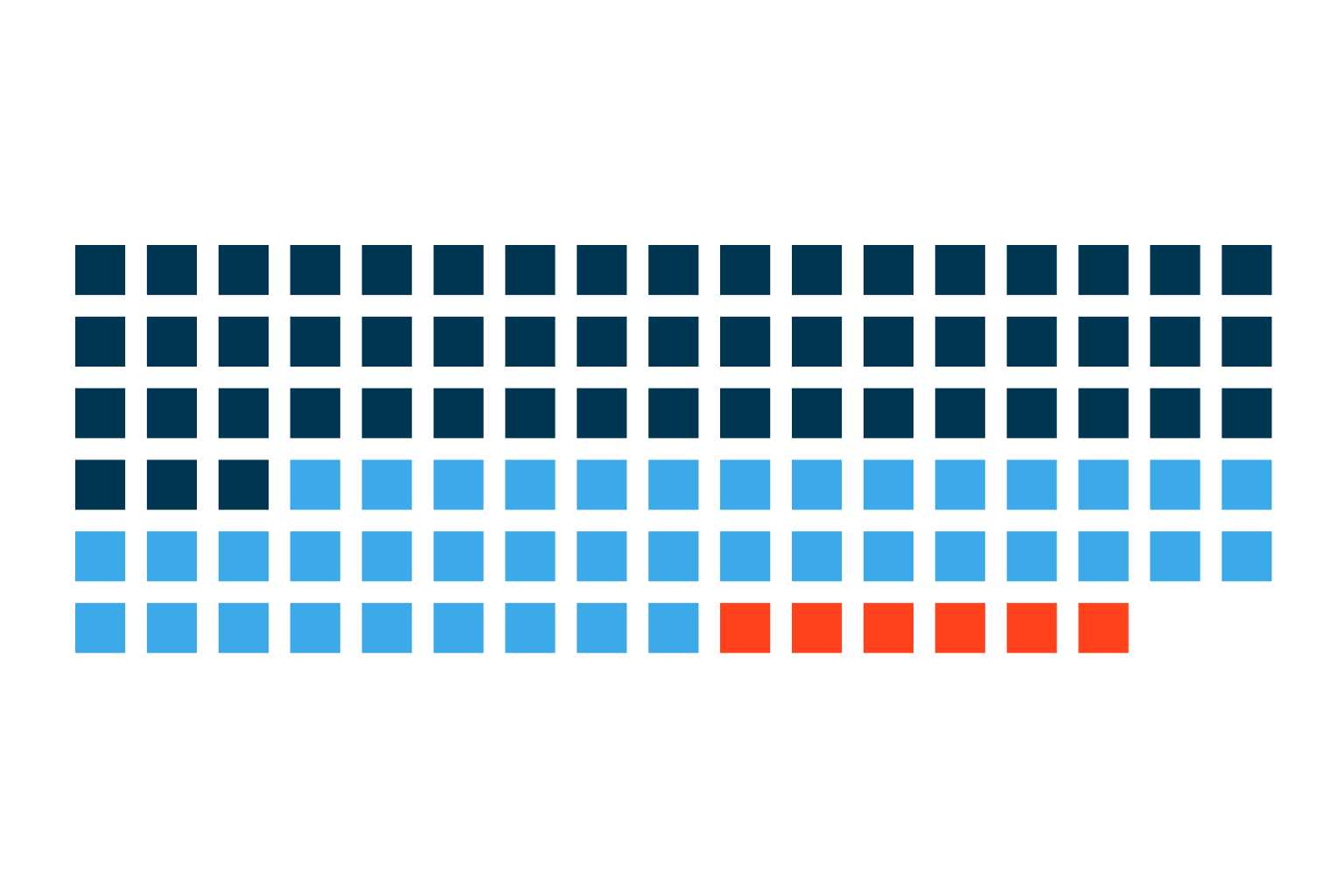
Only 54% of follow-up patients return on schedule. See what late and lost patients are worth per physician and how voice AI brings them back.
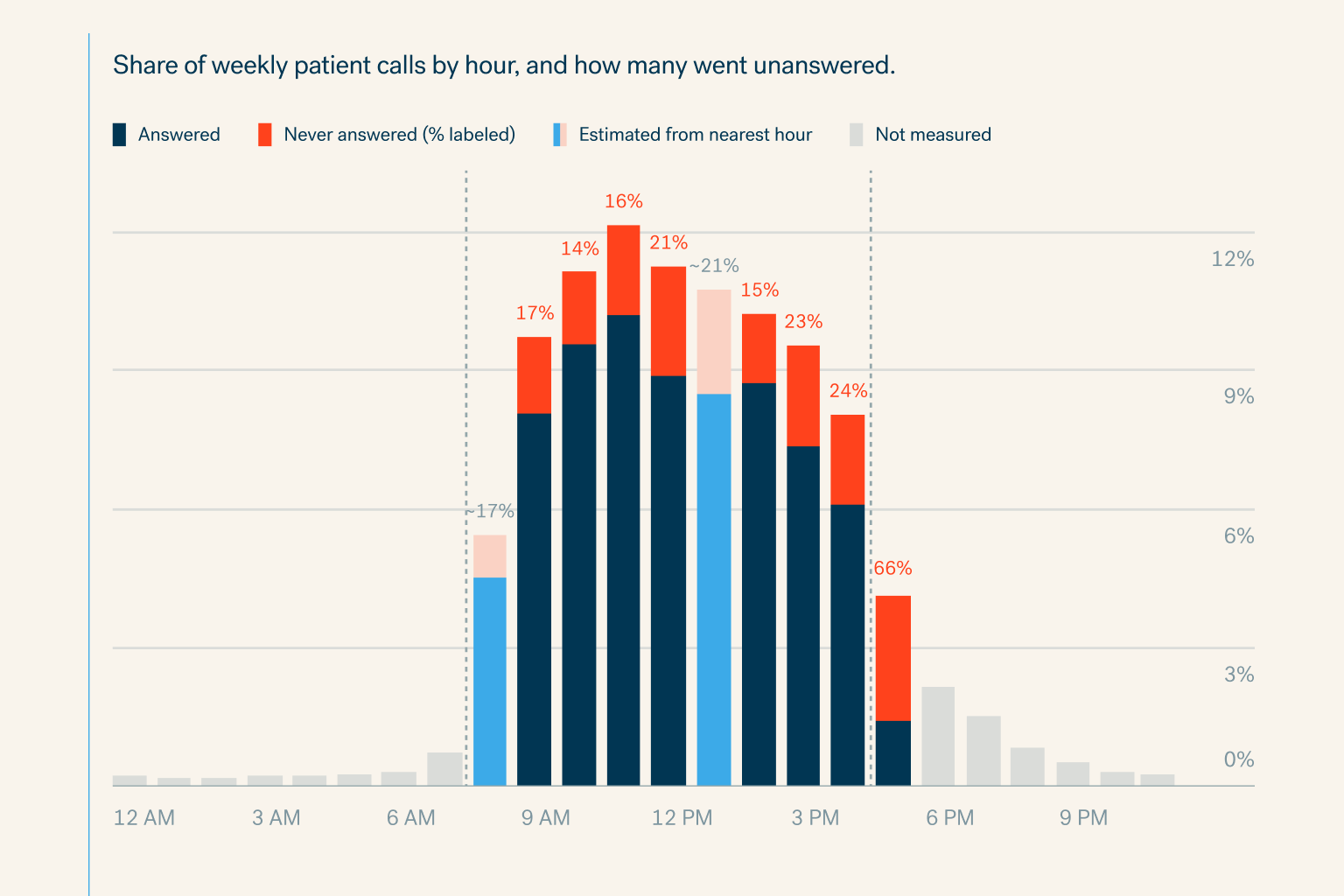
Specialty practices miss 18% of patient calls in office hours and 81% after hours. See the cost per physician and how voice AI books every call.
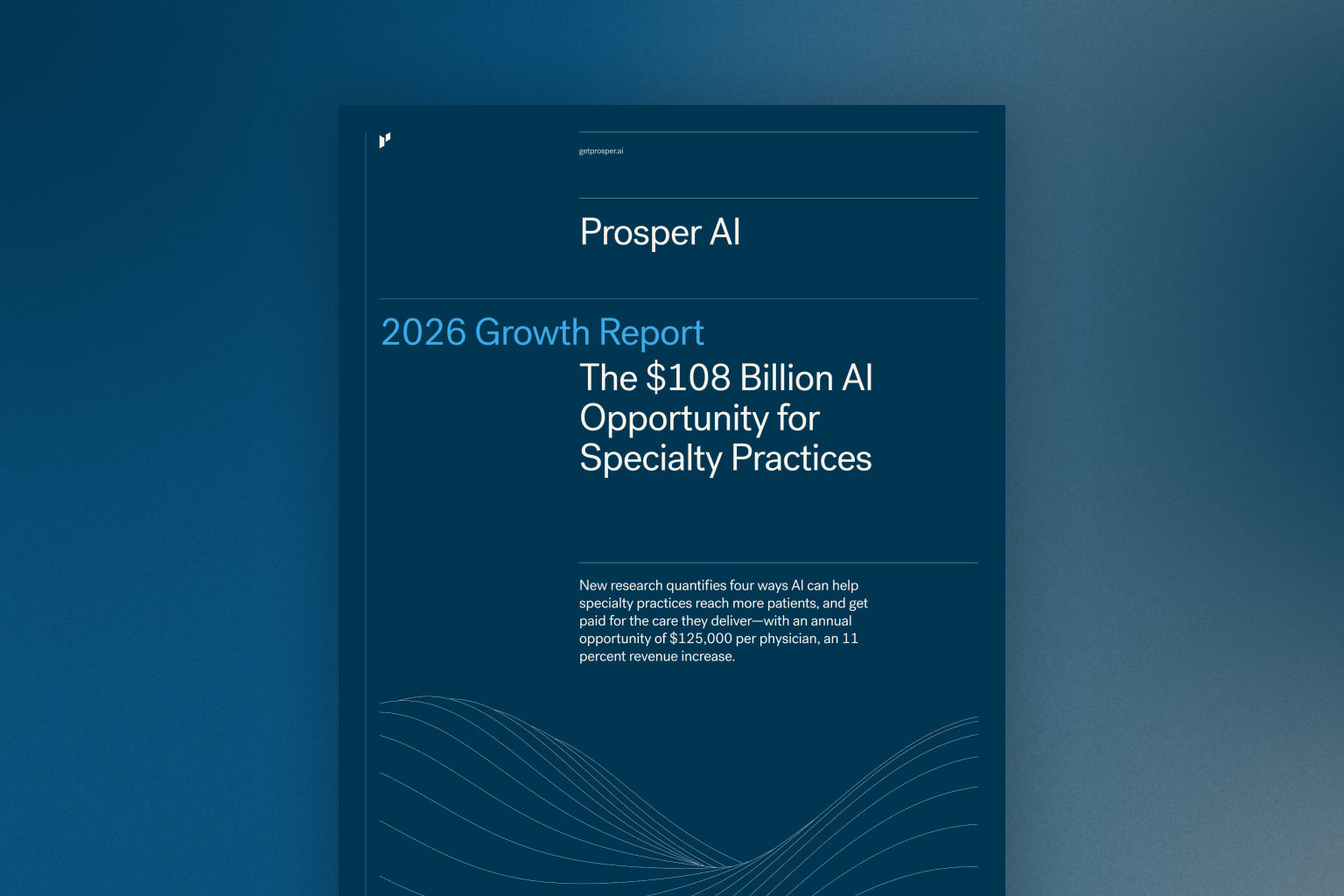
New research quantifies four ways AI can help specialty practices reach more patients, and get paid for the care they deliver—with an annual opportuni


