




Best Voice AI for Gastroenterology Practices: 4 Options Compared (2026)
Compare 4 voice AI vendors for GI practices on colonoscopy scheduling, benefits verification, and prior auth calls. See which ones stop at booking.

Scheduling patient appointments is the first touchpoint for access, satisfaction, and revenue. It determines whether patients reach the right clinician at the right time and whether your calendars stay full. For many organizations, scheduling patient appointments still relies on phones, long holds, and manual steps. The result can be abandoned calls, missed revenue, and staff burnout.
Prosper AI focuses on high volume phone workflows and reports outcomes that are hard to ignore, such as 0 second wait time and an 89 percent drop in abandonment for inbound scheduling, plus faster payer tasks that shorten time to appointment. If scheduling patient appointments is on your roadmap this year, the playbook below shows how to build a system that is fast, accurate, and scalable.
Even sophisticated groups struggle with operational blockers that slow scheduling patient appointments.
Prosper AI highlights several ways to relieve these pain points, including AI voice agents that answer calls instantly, route with conversational intent, and capture all details back into the EHR. See how this looks in practice at Prosper AI.
When people, process, and tech are aligned, scheduling patient appointments becomes predictable and fast.
Modern access stacks are moving phone heavy tasks into AI assisted flows that still write cleanly into the EHR.
Key capabilities to look for
Facts and benchmarks reported by Prosper AI
Explore healthcare specific voice agents at Prosper AI.
A simple blueprint teams can run this quarter to improve scheduling patient appointments.
See how these steps can be automated with AI voice agents at Prosper AI.
Building on the strategies above, this section distills the most practical scheduling moves into ten quick wins your team can apply right away. We’ve grouped them because together they reduce no-shows, smooth daily flow, and make better use of provider time, from smarter holds to automated follow-ups. Use these tips as a checklist to tighten operations without adding staff or software complexity.
Patients stuck on phones face long holds, after-hours dead ends, and manual errors that lead to abandoned calls, leakage, and denials. Always-on self-scheduling lets patients book, reschedule, or cancel into the right slots and locations, smoothing demand, backfilling late cancellations, and reducing rework, improving access, shortening time-to-appointment, stabilizing clinician utilization, and protecting revenue.
Operational playbook: Start with 1 to 2 high-volume, low-risk visit types and codify rules (new vs. established, age, modality, location/equipment, language, clinical exclusions triggering nurse triage). Update templates with discrete slot types, durations, buffers, and open-access pools; auto-release holds at T-48/T-24. Enable portal and public web booking via EHR/FHIR; add a voice AI phone agent. Require login or MFA for existing patients and guest booking for new. Connect eligibility/authorization checks, digital waitlists, SMS/email reminders, exceptions queues, and weekly analytics ownership.
Expected outcomes & KPIs
Relying on patients to call back drives hold times, abandoned calls, and leakage, especially for post-op checks, chronic disease management, and imaging/therapy sequences. Scheduling before the patient leaves removes friction, stabilizes calendars, boosts fill rate and utilization, reduces no-shows, and protects revenue by closing care gaps and preventing denials from expired authorizations or incorrect visit types.
Operational playbook: Make point-of-care scheduling the default. At visit end, the clinician selects a follow-up disposition in the EHR (type, timing window, modality, location, prerequisites). Template protected follow-up slot pools and release rules. Require a disposition before encounter close; checkout schedules immediately. If undecided, send a pre-filtered self-scheduling link with a 24 to 48-hour hold. Trigger auth/referral workqueues. Offer in-person/virtual options, prioritized waitlist, bidirectional reminders, calendar invites, and easy rescheduling. Monitor exceptions daily; auto-outreach within 24 hours; review analytics and QA weekly.
Expected outcomes & KPIs
Late cancellations and reschedules leave costly gaps that manual call trees and voicemail tag rarely backfill. An automated, rules-driven waitlist turns those holes into earlier access, steadier provider utilization, and reclaimed revenue. It also reduces access-center load and improves experience by proactively offering sooner appointments to clinically appropriate patients across locations and visit types.
Operational playbook: Enable the EHR/PM waitlist by location, specialty, provider, and visit type; make “offer earlier openings?” the default in phone, portal, and in-clinic workflows. Enroll patients with preferences (provider/location, in-person vs. telehealth, days/times, minimum notice, language, contact method). Gate eligibility (correct visit type, referral/auth, prep complete). Auto-trigger ranked offers on cancellations/added capacity; hold 15-30 minutes, then cascade. For near-term openings, alert a scheduler or voice AI to call. Add guardrails (DNC, opt-out, message caps, audit trails). Monitor openings dashboards and review weekly.
Expected outcomes & KPIs
A predictable share of daily demand is urgent. When templates are packed with routine visits, urgent callers flood queues, walk-ins jam the front desk, and clinicians absorb disruptive add-ons. Holding emergency/walk-in capacity shortens waits, reduces abandoned calls, preserves clinician productivity, and keeps acute needs in-network, protecting utilization, referral capture, and visit revenue.
Operational playbook: Template schedules with dedicated urgent work-in slots per clinic/provider, sized by historical same-day demand; start with a percentage and tune by weekday/season. Configure EHR hold/release rules so slots stay hidden until cutoff, then auto-release in stages. Define eligible visit types and restrict complex new consults. Route digital requests via nurse/APP or protocol-based voice AI. Front desk uses capacity dashboards for walk-ins. Set overflow cross-coverage and on-call escalation. Offer released slots via two-way text. Track KPIs and adjust in weekly access huddles.
Expected outcomes & KPIs
Idle capacity from unworked holds, rigid templates, and late cancellations inflates wait times, degrades patient experience, and leaves clinicians under-utilized. Converting every open block into a bookable slot accelerates access, reduces leakage to outside care, and turns wasted time into kept visits, protecting revenue while lowering no-shows and stabilizing productivity.
Operational playbook: Run a daily “open block sweep” at T-7, T-3, T-1, and morning-of. Auto-release holds by rule (e.g., urgent add-ons at T-24), convert safe admin blocks, and standardize slot types by visit reason, resource, and payer to prevent mis-booking. Expose openings via EHR-integrated self-scheduling; maintain a prioritized, opt-in waitlist with SMS/email and voice AI outreach. Use triage decision trees, pooled schedules, and controlled overbooking based on no-show patterns. Surface day-of openings to access/front desk; push eligibility and prior-auth checks; review analytics.
Expected outcomes & KPIs
First-come booking prolongs waits for urgent needs, mismatches patients to providers and slot lengths, and leaves high-value capacity idle while routine visits clog the calendar months out. Prioritizing by clinical urgency and constraints improves access, speeds time-to-appointment for those who need it, and reduces leakage from no-shows, cancellations, and rework.
Operational playbook: Define an acuity schema: STAT/same-day, Urgent (24 to 72 hours), Routine (≤30 days), Elective (30 to 90 days). Map reasons for visit to appointment type, duration, eligible providers/locations; lock crosswalks so agents and online booking can’t mis-slot. Template protected urgent holds per session; auto-release 24 to 48 hours prior. Intake collects red flags and intent; self-service routes routine while triggers escalate to nurse triage. Enable EHR-integrated scheduling, eligibility/pre-auth at booking, priority waitlists via SMS/app, voice AI after-hours, dynamic overbooking for high no-show risk, and daily analytics reviews.
Expected outcomes & KPIs
Phone tag and forgotten visits create idle provider time, underfilled templates, and revenue leakage. Immediate confirmations and staged text/email reminders shrink no-shows and late cancellations while smoothing call volumes. They also keep released slots refillable, improving patient access and throughput at far lower cost than manual calls.
Operational playbook: Configure EHR/engagement tools to auto-send confirmations via SMS and email at booking, with .ics files and links to confirm (Y), reschedule ®, or cancel (X). Layer reminders at 7 to 5 days, 72 to 48 hours, and 24 to 2 hours; stop once confirmed. Route R/X replies to workqueues, reopen slots to waitlists, and backfill. Capture consent and channel preferences; fail over to voice. Add language defaults and delivery retries. Register A2P 10DLC, keep HIPAA-minimal content, honor TCPA quiet hours, and dashboard reachability, confirmations, and backfill speed.
Expected outcomes & KPIs
Unscheduled follow-ups and annuals spark repeat calls, abandoned queues, and care gaps that become no-shows and leakage. By booking the next appropriate visit before discharge or immediately after referral, organizations stabilize demand, reduce idle capacity, and smooth daily volumes, improving access, raising clinician utilization, and protecting revenue.
Operational playbook: Adopt a “no patient leaves without a next appointment” policy, embedding standard intervals in EHR order sets. When patients defer, place recalls with due dates routing to a workqueue for automated outreach. Template protected follow-up blocks with 14-day smart release. Offer return self-scheduling via QR/SMS/portal. Run real-time eligibility/prior-auth checks. Automate 30/7/3-day confirmations; escalate to voice AI or staff. Use dynamic waitlists to backfill and pull-forward. Pre-schedule care; review lead-time, third-next, and utilization weekly. Owners: front desk and access center with consistent coaching.
Expected outcomes & KPIs
Manual recall lists and one-off phone calls leave routine and follow-up care unscheduled, creating care gaps, preventable no-shows, and idle capacity. Automating recall against diagnoses, orders, and due dates engages patients on preferred channels, smooths demand, fills return slots first, and captures revenue otherwise lost to leakage and missed services.
Operational playbook: Build an EHR-anchored recall program with clear cohorts (annual wellness, chronic disease follow-ups, post-op checks, imaging/labs reviews, vaccines). Generate registries from discrete data (ICD-10, CPT/HCPCS, orders, last-seen), with exclusions (already scheduled, moved, hospice, provider change). Standardize intervals and visit types; reserve “return” slots and auto-release 48-72 hours prior. Send portal/SMS/email deep links; for non-responders, trigger a voice AI agent, then route complex cases to access staff. Enforce TCPA consent, PHI-light messages, eligibility/prior-auth checks, closed-loop dispositions, data hygiene, and dashboards.
Expected outcomes & KPIs
Unstructured booking creates midday Swiss-cheese gaps that idle clinicians between sessions, stretch time-to-appointment, and frustrate access teams hunting for contiguous times. Anchoring schedules at 12:00 and filling outward collapses gaps, surfaces lunch-hour slots, improves access, raises provider utilization, lowers overtime spillover, and converts idle minutes into billable visits.
Operational playbook: Establish a clinic rule anchoring each provider template at noon and fill chronologically outward before releasing early or late edges. Configure EHR/PM search order so 12:00 and adjacent slots surface first; preserve lunch, procedure, and urgent holds. Highlight lunch-hour availability online; release edges after an 80% fill threshold. Train staff with a noon-first script. Enable a same-day waitlist with auto-SMS backfill and EHR writeback. Route longer visits to midday blocks; place quick follow-ups on shoulders. Pilot 2 to 4 weeks with huddles.
Expected outcomes & KPIs
Scheduling patient appointments well is one of the fastest ways to improve near term revenue and patient experience.
High performing access teams treat scheduling patient appointments as a program, not a one time project.
A reliable system for scheduling patient appointments blends trained people, standardized processes, and AI enhanced technology that writes into your EHR. With the right playbook, teams can cut hold times, reduce no shows, and fill calendars without adding headcount. If your organization is ready to modernize scheduling patient appointments across patient access and RCM, explore healthcare specific voice agents at Prosper AI.
Start with instant answer on inbound calls and simple intent routing, then add automated reminders and easy rescheduling. AI voice agents that integrate with your EHR can deliver 0 second answer and reduce abandonment quickly.
Verify eligibility and benefits while the patient is on the line, then check if authorization is required before offering slots. Prosper AI reports sub two hour SLAs for both benefits checks and authorization initiation with 99 percent accuracy.
Yes, when the solution respects visit types, locations, and provider rules. Prosper AI lists 80 plus native integrations and writes structured results back to the EHR and PM systems.
Organizations often see lower abandonment, fewer no shows, more completed visits, and faster cash. Prosper AI cites an 89 percent drop in abandonment, about a 30 percent reduction in no shows, and 20 percent or more growth from reengagement campaigns.
Look for HIPAA with BAA, SOC 2 Type II, encryption at rest and in transit, SSO, and audit trails. Prosper AI documents these controls plus a 99.9 percent SLA and zero day OpenAI retention agreement.
Prosper AI notes 1 to 2 days to start with batch data and about 3 weeks for full API or EHR integration, which helps teams capture quick wins without long IT queues.
Yes, AI voice agents can answer 24 by 7, book within templates, and route true emergencies. This keeps next day schedules fuller and reduces Monday morning call spikes.
For a deeper look at AI voice agents for healthcare and how they support scheduling patient appointments end to end, visit Prosper AI.
Discover how healthcare teams are transforming patient access with Prosper.
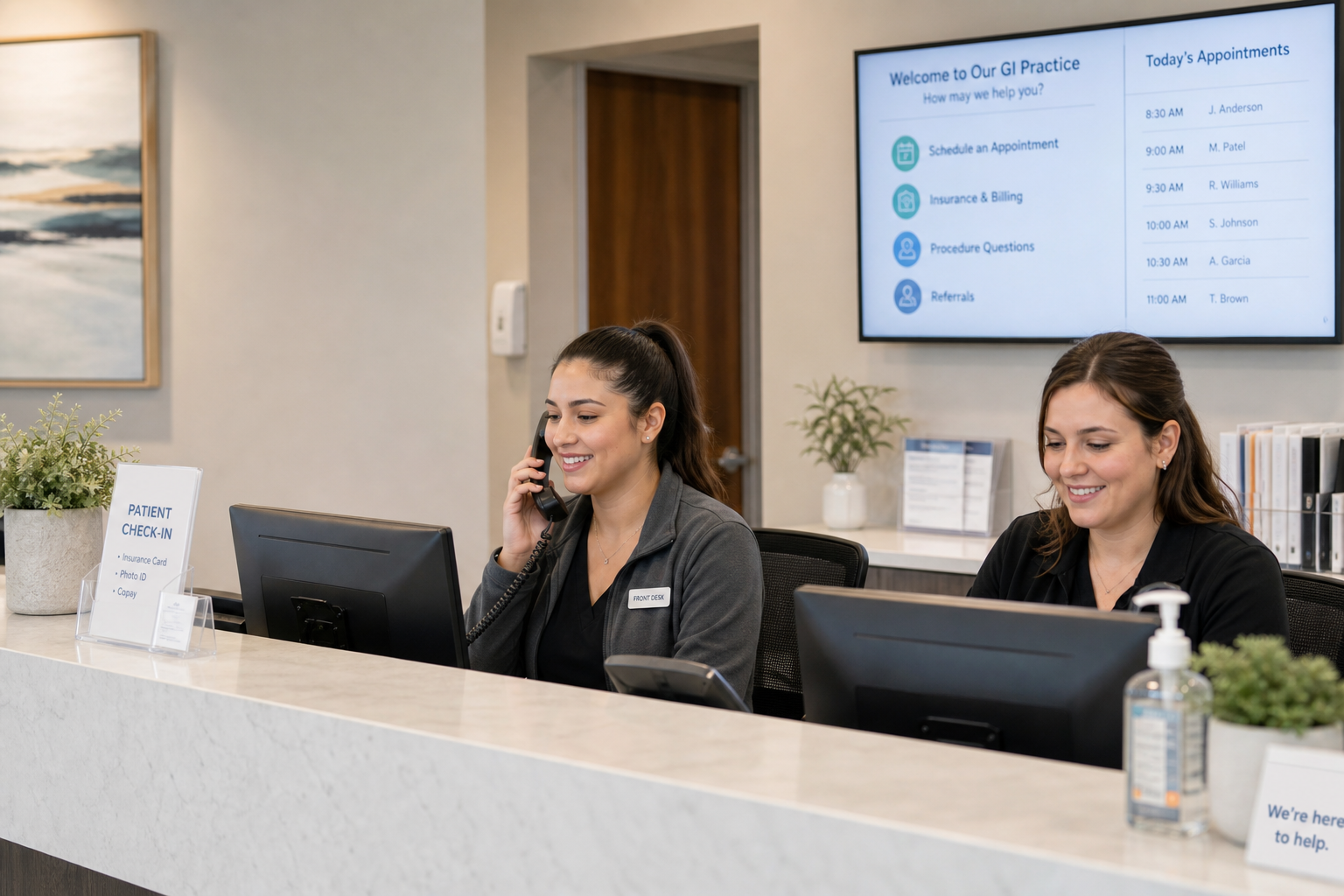
Compare 4 voice AI vendors for GI practices on colonoscopy scheduling, benefits verification, and prior auth calls. See which ones stop at booking.

Compare 5 AI voice agents for ENT and allergy practices. See which handle scheduling and the payer calls for prior auth and benefits checks.

Best AI agents for orthopedic practices compared on prior auth, outbound payer calling, and billing. Only 1 vendor resolves 60%+ of calls end-to-end.


